Bootstrap Protocol (BOOTP): Definition, Working, Features, and Use Cases
The Bootstrap Protocol (BOOTP) is a network protocol that enables devices to automatically obtain essential network configuration information during startup. Developed before the widespread adoption of Dynamic Host Configuration Protocol (DHCP), BOOTP was designed to help diskless workstations and network devices acquire IP addresses and boot files from a server without manual configuration. Although DHCP has largely replaced BOOTP in modern networks, understanding the Bootstrap Protocol remains important for networking professionals, system administrators, and students studying network infrastructure. In this article, we will explore what BOOTP is, how it works, its architecture, advantages, limitations, and its role in modern networking.
What is Bootstrap Protocol (BOOTP)?
Bootstrap Protocol (BOOTP) is an application-layer protocol that allows a client device to automatically obtain:
- An IP address
- Subnet mask
- Default gateway
- Boot file location
- TFTP server address
BOOTP operates over the User Datagram Protocol (UDP) and was originally specified in RFC 951.
The protocol is primarily used by devices that need network information before they can fully load an operating system or application.
Key Characteristics
- Connectionless communication using UDP
- Supports automatic network configuration
- Designed for diskless workstations
- Uses a centralized BOOTP server
- Provides static IP address assignments
Why Was BOOTP Developed?
Before BOOTP, network administrators had to manually configure every device with network settings. This process became difficult as networks grew larger.
BOOTP was created to:
- Simplify device initialization
- Reduce manual configuration tasks
- Support diskless systems
- Enable centralized network management
- Automate operating system booting over a network
The protocol became especially useful in environments where computers booted from network servers instead of local storage devices.
How Bootstrap Protocol Works
BOOTP follows a simple client-server architecture.
Step 1: Client Startup
When a device starts and lacks network configuration, it broadcasts a BOOTP request across the network.
The request contains:
- Client hardware (MAC) address
- Transaction identifier
- Client-specific information
Step 2: BOOTP Server Receives Request
The BOOTP server searches its database for the client’s MAC address.
The server then retrieves the corresponding:
- IP address
- Subnet information
- Gateway address
- Boot file name
- Server details
Step 3: BOOTP Reply
The server sends a BOOTP reply containing all required configuration information.
Step 4: Client Configuration
The client configures its network interface using the received information.
Step 5: Boot File Retrieval
If needed, the client contacts a TFTP server and downloads the specified boot file.
BOOTP Communication Flow
Client Startup
      │
      ▼
BOOTP Request Broadcast
      │
      ▼
BOOTP Server Receives Request
      │
      ▼
BOOTP Reply Sent
      │
      ▼
Client Configures Network
      │
      ▼
Downloads Boot File via TFTP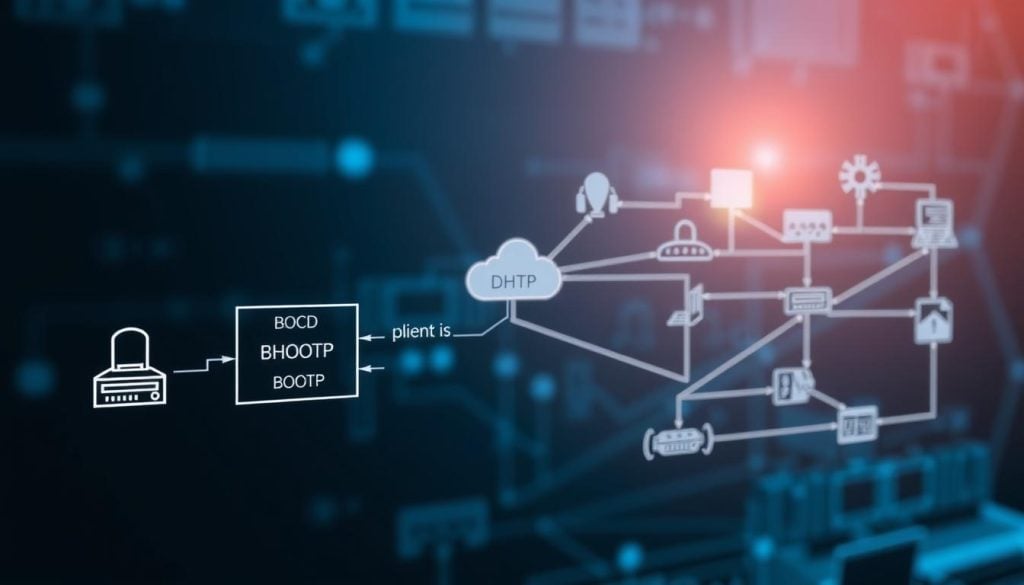
BOOTP Message Format
A BOOTP packet consists of several fields used for communication between client and server.
Important Fields
| Field | Description |
|---|---|
| OP | Request or reply indicator |
| HTYPE | Hardware address type |
| HLEN | Hardware address length |
| HOPS | Relay agent hops |
| XID | Transaction ID |
| SECS | Seconds elapsed |
| FLAGS | Communication flags |
| CIADDR | Client IP address |
| YIADDR | Your assigned IP address |
| SIADDR | Server IP address |
| GIADDR | Gateway IP address |
| CHADDR | Client hardware address |
| SNAME | Server host name |
| FILE | Boot file name |
| VENDOR | Vendor-specific information |
Bootstrap Protocol Ports
BOOTP uses UDP transport-layer ports.
| Service | Port Number |
|---|---|
| BOOTP Client | UDP Port 68 |
| BOOTP Server | UDP Port 67 |
These port numbers were later inherited by DHCP.
Components of a BOOTP Environment
1. BOOTP Client
The device is requesting network configuration.
Examples include:
- Diskless workstations
- Routers
- Switches
- Embedded systems
- IoT devices
2. BOOTP Server
Maintains a database containing:
- MAC addresses
- Assigned IP addresses
- Boot files
- Network parameters
3. TFTP Server
Stores operating system images and boot files that clients download during startup.
4. Relay Agent
Forwards BOOTP requests between different network segments when the server is located on another subnet.
Features of Bootstrap Protocol
- Automatic Configuration – Clients receive network settings automatically during startup.
- Centralized Management – Administrators manage configurations from a single server.
- MAC-Based Address Assignment – IP addresses are assigned based on predefined MAC address mappings.
- Network Boot Support – Enables devices to boot operating systems from remote servers.
- Vendor Extensions – Supports additional configuration options through vendor-specific fields.
Advantages of BOOTP
- Simplified Network Deployment – Reduces manual network configuration tasks.
- Consistent Address Assignment – Each device receives the same predefined IP address every time it boots.
- Supports Diskless Systems – Allows systems without local storage to operate efficiently.
- Centralized Administration – Administrators can manage large numbers of devices from a single location.
- Reliable Configuration – Static mappings reduce the chance of unexpected IP address changes.
Limitations of BOOTP
- No Dynamic Address Allocation – Unlike DHCP, BOOTP cannot automatically assign available IP addresses from a pool.
- Manual Database Maintenance – Administrators must manually configure MAC-to-IP mappings.
- Limited Scalability – Managing large networks becomes difficult as the number of devices increases.
- Reduced Flexibility – Changes to network settings often require manual updates on the server.O
- Obsolete in Modern Networks – Most organizations now use DHCP due to its enhanced functionality.
BOOTP vs DHCP
DHCP evolved directly from BOOTP and introduced several improvements.
| Feature | BOOTP | DHCP |
|---|---|---|
| IP Assignment | Static | Dynamic and Static |
| Address Leasing | No | Yes |
| Automatic Allocation | Limited | Extensive |
| Scalability | Moderate | High |
| Configuration Flexibility | Low | High |
| Modern Usage | Rare | Common |
Key Difference
BOOTP requires administrators to manually create mappings between MAC addresses and IP addresses, while DHCP can dynamically assign addresses from a pool.
Common Bootstrap Protocol Use Cases
Although DHCP dominates modern networking, BOOTP is still used in some specialized environments.
- Embedded Devices – Industrial equipment may use BOOTP for predictable addressing.
- Network Appliances – Certain routers and switches support BOOTP-based initialization.
- PXE Boot Environments – Some network boot implementations retain BOOTP compatibility.
- Manufacturing Systems – Devices often require fixed network configurations during production.
- Legacy Networks – Older infrastructures may still depend on BOOTP servers.
BOOTP and Network Booting
One of BOOTP’s most important functions is enabling network booting.
The process typically includes:
- Device powers on.
- BOOTP request is broadcast.
- The server provides network information.
- The boot file location is supplied.
- The device downloads the file using TFTP.
- The operating system loads into memory.
This mechanism laid the foundation for modern technologies such as:
- PXE (Preboot Execution Environment)
- Remote operating system deployment
- Thin-client computing
- Automated provisioning systems
Security Considerations
BOOTP was developed during a period when network security was not a primary concern.
Potential security risks include:
- Unauthorized BOOTP servers
- IP spoofing
- Configuration tampering
- Lack of authentication
- Broadcast-based attacks
To mitigate these risks, administrators should:
- Restrict BOOTP traffic using access controls
- Secure network infrastructure
- Monitor server activity
- Use VLAN segmentation
- Transition to more secure modern alternatives when possible
Future of BOOTP
While BOOTP is rarely deployed in enterprise environments today, its historical significance remains substantial.
Modern technologies that evolved from BOOTP include:
- DHCP
- PXE booting
- Automated provisioning systems
- Zero-touch deployment solutions
Understanding BOOTP helps networking professionals grasp the evolution of network configuration protocols and appreciate the foundations of modern IP address management.
Conclusion
The Bootstrap Protocol (BOOTP) was a groundbreaking technology that automated network configuration and enabled devices to boot over a network. By providing IP addresses, boot file locations, and other essential settings, BOOTP simplified the deployment and management of early computer networks.
Although DHCP has largely replaced BOOTP due to its dynamic addressing capabilities and greater scalability, BOOTP remains an important part of networking history and continues to appear in specialized and legacy environments. Learning how BOOTP works provides valuable insight into the development of modern network configuration and provisioning technologies.