Server-Sent Events (SSE): A Complete Guide to Real-Time Web Communication
What Are Server-Sent Events?
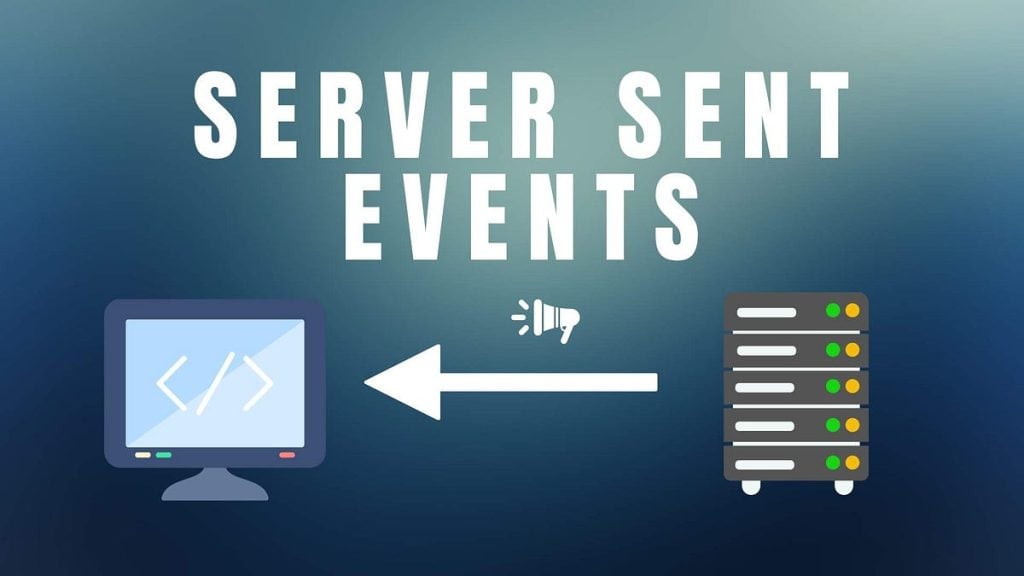
Server-Sent Events (SSE) is a web technology that enables a server to continuously push real-time updates to a web browser over a single HTTP connection. Unlike traditional HTTP requests where the client repeatedly polls the server for updates, SSE allows the server to send data automatically whenever new information becomes available. Introduced as part of the HTML5 specification, Server-Sent Events simplify the development of applications requiring live updates while avoiding the complexity of full-duplex communication.
Some common applications include:
- Live news feeds
- Stock market updates
- Sports scoreboards
- Social media notifications
- Weather updates
- System monitoring dashboards
- Server log streaming
- Cryptocurrency price tracking
How Server-Sent Events Work
The SSE communication model is relatively simple:
- The browser creates a connection to the server using the EventSource API.
- The server keeps the HTTP connection open.
- Whenever new data becomes available, the server sends an event.
- The browser receives and processes the event immediately.
- The connection remains open until either the client or server closes it.
Unlike WebSockets, the browser never sends continuous messages through this connection after it has been established.
Browser
   |
   | HTTP Request
   |
Server
   |
   |==============================
   | Event 1
   | Event 2
   | Event 3
   | Event 4
   |==============================
The communication is one-way:
Server → Client
Advantages of Server-Sent Events
Simple Implementation
SSE requires minimal JavaScript code compared to WebSockets.
Uses Standard HTTP
Because SSE relies on ordinary HTTP, it works well with:
- Reverse proxies
- Load balancers
- Firewalls
- HTTP authentication
- HTTPS
Automatic Reconnection
If the network connection drops, browsers automatically reconnect without requiring custom logic.
Example:
const source = new EventSource("/events");The browser handles reconnection automatically.
Lightweight Protocol
SSE sends plain text over HTTP.
There are:
- No WebSocket handshake
- No binary framing
- Less protocol overhead
This makes SSE efficient for many notification-based applications.
Built-in Event IDs
Servers can assign IDs:
id: 154
data: New Message
If the client reconnects, it can resume from the last received event.
Efficient for Broadcast
One server can stream updates to thousands of connected clients simultaneously.
Examples:
- News websites
- Live blogs
- Financial dashboards
- Monitoring systems
Limitations of Server-Sent Events
Despite its simplicity, SSE has some drawbacks.
- One-Way Communication – Only the server can continuously send data. If the client needs to send data, it must use HTTP POST, Fetch API, AJAX…
- Text Only – SSE supports UTF-8 text. Binary data must be encoded first (for example, using Base64).
- Browser Connection Limits – Older browsers impose limits on simultaneous connections per domain. This may affect applications with multiple tabs.
- Limited Browser Support in Legacy Browsers – Modern browsers support SSE well. Older versions of Internet Explorer do not support it natively.
Common Use Cases
Live Notifications
Applications can instantly notify users about:
- New messages
- Friend requests
- Order updates
- Payment confirmations
Monitoring Dashboards
Infrastructure monitoring platforms stream:
- CPU usage
- Memory usage
- Disk space
- Network traffic
without refreshing the page.
Stock Market Data
Financial websites continuously update:
- Prices
- Charts
- Trading volumes
Sports Scores
Real-time scoreboards display:
- Goals
- Match statistics
- Live commentary
Server Logs
DevOps teams often stream:
- Container logs
- Kubernetes events
- Application logs
directly into web dashboards.
IoT Monitoring
Sensors continuously publish:
- Temperature
- Humidity
- GPS position
- Device status
Best Practices
To maximize the reliability and performance of your SSE implementation:
- Use HTTPS to secure all event streams.
- Send periodic keep-alive comments (for example,
: ping) to prevent idle connections from being closed by proxies. - Compress responses only when appropriate, as buffering can delay event delivery.
- Include event IDs to support seamless reconnection.
- Avoid sending large payloads; instead, transmit only incremental updates.
- Configure load balancers and reverse proxies to support long-lived HTTP connections.
- Monitor the number of concurrent connections and resource usage on the server.
- Implement authentication and authorization before establishing an SSE connection.
Performance Considerations
SSE is highly efficient for one-to-many broadcasting because each client maintains a single long-lived HTTP connection. However, performance depends on your server architecture and infrastructure.
Consider the following:
- Use asynchronous or event-driven servers (such as Node.js, Go, or Nginx with appropriate upstreams) to handle many concurrent connections efficiently.
- Scale horizontally with shared message brokers like Redis Pub/Sub, Kafka, or RabbitMQ when broadcasting events across multiple application instances.
- Ensure reverse proxies (e.g., Nginx) are configured to disable response buffering for SSE endpoints.
- Clean up inactive or disconnected clients promptly to avoid memory leaks.
Security Considerations
When deploying Server-Sent Events in production:
- Authenticate users before opening an event stream.
- Validate authorization for every stream to ensure users receive only permitted data.
- Use HTTPS to encrypt all traffic.
- Protect against denial-of-service attacks by limiting the number of simultaneous connections per user or IP address.
- Avoid sending sensitive information unless it is properly secured and necessary for the client.
Conclusion
Server-Sent Events provide a lightweight, reliable, and standards-based approach to delivering real-time updates from servers to browsers. By maintaining a single persistent HTTP connection, SSE eliminates the inefficiencies of repeated polling while remaining simpler to implement than WebSockets for one-way communication.
For applications such as live notifications, monitoring dashboards, stock tickers, sports scores, news feeds, and log streaming, SSE offers an excellent balance of performance, scalability, and ease of development. When your application only needs server-to-client updates, Server-Sent Events are often the most practical and maintainable real-time communication technology available.