What Is POP Protocol?
The POP protocol – short for Post Office Protocol – is one of the oldest and most widely used methods for retrieving email from a mail server. Despite the rise of more advanced protocols, POP (especially POP3) remains relevant for users who prefer simple, offline email access.
What Is POP Protocol?
The Post Office Protocol (POP) is an application-layer protocol used by email clients to retrieve messages from a mail server. The most commonly used version today is POP3.
POP3 downloads emails from the server to a local device and, by default, deletes them from the server afterward. This makes it ideal for users who want to manage emails locally without relying on constant internet access.
How POP Protocol Works
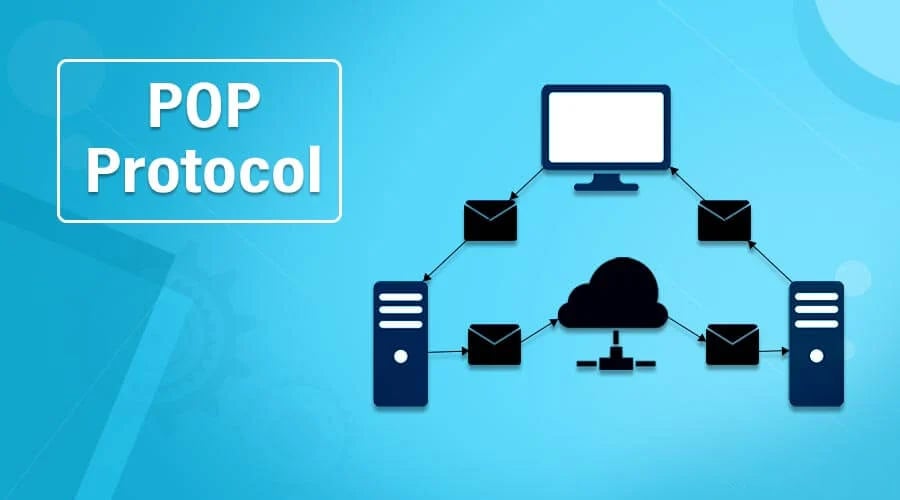
POP3 follows a simple client-server model:
- The email client connects to the mail server.
- The client authenticates using a username and password.
- Emails are downloaded from the server.
- Messages are optionally deleted from the server.
- The connection is closed.
POP3 Communication Flow
- Port 110 – Default unencrypted POP3
- Port 995 – POP3 over SSL/TLS (secure)
POP3 works alongside the Simple Mail Transfer Protocol for sending emails, as POP is only responsible for receiving messages.
Key Features of POP3
- Offline Email Access – POP3 allows users to read emails without an internet connection after downloading them.
- Simple Configuration – It’s easy to set up and supported by nearly all email clients.
- Local Storage – Emails are stored on the user’s device, giving full control over data.
- Reduced Server Load – Since emails are downloaded and often deleted from the server, storage usage is minimized.
Advantages of POP Protocol
- Faster email retrieval (no server sync required)
- Ideal for single-device usage
- Works well with limited internet connectivity
- Lower server storage requirements
Disadvantages of POP Protocol
- No synchronization across multiple devices
- Emails may be lost if the local device fails
- Limited server-side organization (folders, labels)
- Not suitable for modern cloud-based workflows
POP3 vs IMAP: What’s the Difference?
| Feature | POP3 | IMAP |
|---|---|---|
| Storage Location | Local device | Server-based |
| Multi-device Access | Not supported | Fully supported |
| Synchronization | No | Yes |
| Offline Access | Yes | Limited |
| Server Usage | Low | Higher |
If you access email from multiple devices, IMAP is usually the better choice. POP3 is best for single-device, offline-focused usage.
Common Use Cases for POP Protocol
- Personal email on a single computer
- Backup and archival of emails locally
- Environments with limited or unstable internet
- Users prioritizing privacy and local storage
Is POP Protocol Still Relevant?
While modern users increasingly prefer IMAP or cloud-based email services, POP3 remains relevant in niche scenarios:
- Security-conscious users avoiding cloud storage
- Offline-first workflows
- Lightweight systems with minimal server dependency
However, for businesses and multi-device users, IMAP is generally more practical.
Best Practices for Using POP3
- Enable “Leave a copy on the server” to prevent data loss
- Use POP3 over SSL/TLS (port 995) for secure connections
- Regularly back up local email files
- Avoid using POP3 across multiple devices
Conclusion
The POP protocol (POP3) is a simple, reliable method for retrieving emails, especially for users who value offline access and local storage. While it lacks modern synchronization features, it still plays a role in specific use cases. If your workflow involves multiple devices or cloud integration, consider switching to IMAP. But if you prefer control, simplicity, and offline access, POP3 is still a solid choice.