What Is a Multipoint Control Unit (MCU)?
As organizations increasingly rely on virtual collaboration, video conferencing technology has become essential for communication and productivity. One of the key components that enables seamless multi-party video conferences is the Multipoint Control Unit (MCU). This powerful device or software solution manages audio, video, and data streams among multiple participants, ensuring smooth and efficient communication. In this article, we’ll explore what a Multipoint Control Unit is, how it works, its benefits, challenges, and its role in modern conferencing systems.
What Is a Multipoint Control Unit (MCU)?
A Multipoint Control Unit (MCU) is a network device or software platform that enables multiple participants to join a single audio or video conference. It acts as a centralized hub that receives, processes, and distributes media streams between all connected endpoints. Without an MCU, participants in a conference would need to establish direct connections with every other participant, which becomes inefficient and resource-intensive as the number of users grows.
Key Functions of an MCU
- Managing multiple conference participants
- Mixing audio streams into a single output
- Combining video feeds into a unified display
- Transcoding media streams when necessary
- Controlling conference sessions and participant permissions
- Optimizing bandwidth usage
How a Multipoint Control Unit Works
An MCU serves as the central processing point in a conferencing environment.
Basic Workflow
- Participants connect to the conference.
- Each participant sends audio and video streams to the MCU.
- The MCU receives and processes the streams.
- Audio streams are mixed into a single audio feed.
- Video streams are arranged into a selected layout.
- Processed streams are redistributed to all participants.
Simplified Example
Suppose five employees join a virtual meeting:
- User A sends video/audio to the MCU.
- User B sends video/audio to the MCU.
- User C sends video/audio to the MCU.
- User D sends video/audio to the MCU.
- User E sends video/audio to the MCU.
The MCU combines these streams and sends an optimized conference feed back to every participant.
Components of a Multipoint Control Unit
An MCU typically consists of two major functional components:
1. Multipoint Controller (MC)
The Multipoint Controller handles signaling and conference management tasks, including:
- Call setup and termination
- Conference control
- Participant management
- Negotiation of media capabilities
2. Multipoint Processor (MP)
The Multipoint Processor handles media processing functions such as:
- Audio mixing
- Video switching
- Video composition
- Media transcoding
Together, these components create a complete conferencing management solution.
Types of Multipoint Control Units
Hardware MCU
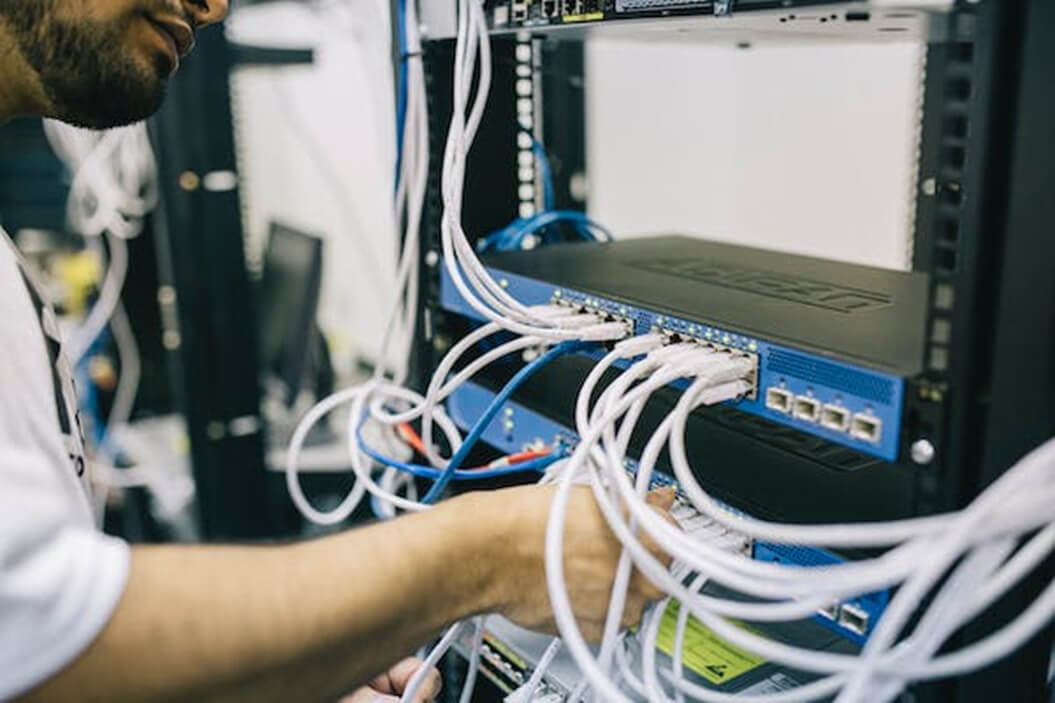
Hardware-based MCUs are dedicated appliances designed specifically for conferencing applications.
Advantages
- High performance
- Reliable operation
- Low latency
- Suitable for large enterprises
Disadvantages
- Expensive deployment
- Limited scalability
- Higher maintenance costs
Software MCU
Software MCUs operate on standard servers or cloud infrastructure.
Advantages
- Lower deployment costs
- Flexible scaling
- Easier updates
- Cloud compatibility
Disadvantages
- Higher processing requirements
- Performance depends on server resources
MCU vs. SFU
Modern conferencing platforms often use either an MCU or a Selective Forwarding Unit (SFU).
| Feature | MCU | SFU |
|---|---|---|
| Media Processing | Full processing and mixing | Forwarding only |
| CPU Usage | High | Low |
| Bandwidth Optimization | Excellent | Moderate |
| Scalability | Moderate | High |
| Video Quality Control | Centralized | Endpoint-based |
| Latency | Slightly higher | Lower |
When to Use MCU
An MCU is ideal when:
- Participants use different devices and codecs.
- Bandwidth optimization is critical.
- Centralized media management is required.
- Legacy conferencing systems must be supported.
Benefits of Using a Multipoint Control Unit
Enhanced Conference Management
MCUs simplify the administration of large conferences by centralizing control.
Bandwidth Efficiency
Participants receive a single optimized stream rather than multiple individual streams.
Improved Compatibility
MCUs can transcode media streams, allowing devices with different codecs and capabilities to communicate seamlessly.
Better User Experience
The MCU can create professional layouts such as:
- Grid view
- Speaker view
- Presentation mode
- Custom layouts
Security and Control
Organizations can implement:
- Authentication
- Access controls
- Meeting moderation
- Recording features
Common Applications of MCU Technology
- Corporate Video Conferencing – Large businesses use MCUs to connect employees, clients, and remote offices.
- Distance Learning – Educational institutions use MCUs to facilitate online classrooms and virtual lectures.
- Telemedicine – Healthcare providers rely on MCUs for consultations involving multiple specialists and patients.
- Government Communications – Government agencies use MCU-powered conferencing for secure collaboration across departments.
- Webinars and Virtual Events – MCUs support large-scale virtual meetings and presentations.
Challenges of Multipoint Control Units
Despite their advantages, MCUs also have limitations.
- High Processing Requirements – Media mixing and transcoding require significant computational resources.
- Cost Considerations – Dedicated hardware MCUs can be expensive to purchase and maintain.
- Scalability Constraints – Traditional MCUs may struggle to support very large conferences compared to newer cloud-based architectures.
- Single Point of Failure – If the MCU becomes unavailable, the entire conference can be disrupted.
Multipoint Control Unit in Cloud Communications
Cloud-based conferencing solutions have transformed MCU deployment.
Modern cloud MCUs offer:
- Elastic scalability
- Global availability
- Reduced infrastructure costs
- Automatic updates
- Integration with collaboration platforms
Many enterprise communication systems now deploy virtual MCUs within cloud environments to improve flexibility and reliability.
Best Practices for Deploying an MCU
To maximize performance:
Assess Conference Requirements
Consider:
- Number of participants
- Video quality requirements
- Bandwidth availability
- Security needs
Choose the Right Architecture
Select between:
- Hardware MCU
- Virtual MCU
- Cloud-hosted MCU
Ensure Network Quality
Implement:
- Quality of Service (QoS)
- Traffic prioritization
- Network monitoring
Plan for Redundancy
Deploy backup systems to prevent service interruptions.
Future of Multipoint Control Units
While SFU-based architectures dominate many modern video conferencing platforms, MCUs remain highly relevant in enterprise, government, healthcare, and interoperability-focused environments.
Emerging trends include:
- AI-enhanced video processing
- Cloud-native MCU platforms
- Hybrid MCU-SFU architectures
- Improved video compression technologies
- Enhanced security and encryption
These advancements continue to improve conference quality while reducing resource consumption.
Conclusion
A Multipoint Control Unit (MCU) is a critical component in multi-party audio and video conferencing systems. Managing, processing, and distributing media streams among participants, it enables efficient, high-quality communication across organizations and industries. Although newer technologies such as SFUs have gained popularity, MCUs continue to provide significant advantages in bandwidth optimization, interoperability, centralized management, and media processing. As cloud communications and collaboration technologies evolve, modern MCU solutions will remain an important part of enterprise-grade conferencing infrastructure.