What Is Real-Time Backup?
In today’s data-driven world, businesses and individuals cannot afford data loss – even for a second. Whether it’s caused by cyberattacks, hardware failures, or human error, losing critical data can lead to financial loss, downtime, and reputational damage. That’s where real-time backup comes in. This guide will walk you through what real-time backup is, how it works, its benefits, use cases, and how to choose the right solution.
What Is Real-Time Backup?
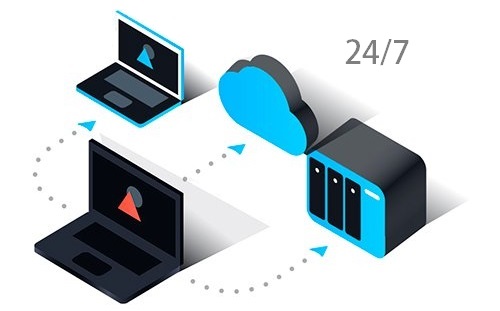
Real-time backup, also known as continuous data protection (CDP), is a data backup method that captures and saves changes instantly or nearly instantly as they occur.
Unlike traditional backup methods (daily or scheduled backups), real-time backup ensures that every change is recorded, minimizing data loss to near zero.
How Real-Time Backup Works
Real-time backup operates by continuously monitoring files, databases, or systems. When a change occurs, the system immediately:
- Detects the modification
- Captures the change (delta or full file)
- Transfers it to a backup location
- Stores it securely (often with versioning)
Key Technologies Behind It
- Continuous Data Protection (CDP)
- Block-level backup
- Incremental backups
- Data replication
- Snapshotting
Benefits of Real-Time Backup
- Near-Zero Data Loss – Since backups occur instantly, the Recovery Point Objective (RPO) is minimized.
- Faster Recovery – You can restore systems to the exact moment before failure or attack.
- Protection Against Ransomware – Real-time backup combined with versioning allows you to roll back to clean data before infection.
- Improved Business Continuity – Critical operations can resume quickly with minimal disruption.
- Automation – No need for manual backups or scheduling – everything runs automatically.
Real-Time Backup vs Traditional Backup
| Feature | Real-Time Backup | Traditional Backup |
|---|---|---|
| Backup Frequency | Continuous | Scheduled (daily/weekly) |
| Data Loss Risk | Very low | Higher |
| Recovery Time | Fast | Slower |
| Storage Usage | Higher | Lower |
| Complexity | Moderate | Simple |
Some Use Cases
- Enterprise IT Systems – Large organizations rely on real-time backup to protect databases, applications, and virtual machines.
- Financial Services – Banks and fintech platforms require instant data protection for transactions and records.
- E-commerce Platforms – Online stores need continuous backups to avoid losing orders and customer data.
- Remote Work Environments – Protects data across distributed teams and endpoints.
- SaaS Applications – Ensures application data is always recoverable without downtime.
Real-Time Backup in Cloud Environments
With the rise of cloud computing, real-time backup is often integrated with:
- Cloud storage platforms
- Hybrid cloud systems
- Multi-cloud architectures
Advantages in the Cloud
- Scalability
- Global accessibility
- Built-in redundancy
- Cost-efficient storage tiers
Key Features to Look For
When choosing a real-time backup solution, consider:
1. Continuous Data Protection (CDP)
Ensure the system truly supports real-time or near real-time backup.
2. Versioning
Ability to restore previous versions of files.
3. Security
- End-to-end encryption
- Immutable storage
- Access controls
4. Performance Impact
Low system overhead to avoid slowing down operations.
5. Disaster Recovery Integration
Support for full system recovery, not just file-level restore.
Challenges of Real-Time Backup
While powerful, real-time backup comes with some challenges:
- Storage Costs – Continuous backups generate large volumes of data.
- Bandwidth Usage – Frequent data transfers can consume network resources.
- Complexity – Requires proper configuration and monitoring.
- Security Risks (if misconfigured) – Improper setups can expose backup data to threats.
Best Practices for Real-Time Backup
To maximize effectiveness:
- Combine with immutable backups for ransomware protection
- Use off-site or cloud storage for redundancy
- Implement encryption for data security
- Monitor backup logs and alerts
- Regularly test recovery processes
Real-Time Backup vs Replication
Although similar, they are not the same:
- Replication duplicates data across systems in real time
- Real-time backup stores historical versions and enables recovery
Best practice: Use both together for maximum resilience.
Conclusion
Real-time backup is no longer a luxury – it’s a necessity in modern IT environments. By continuously protecting your data, it ensures minimal data loss, faster recovery, and stronger resilience against cyber threats. Whether you’re running a business, managing servers, or handling sensitive data, implementing a real-time backup strategy is one of the smartest investments you can make.