What is Discretionary Access Control (DAC)?
Discretionary Access Control (DAC) is a key concept in information security, enabling organizations to manage who has access to specific resources within a system. As cyber security threats grow more sophisticated, implementing a robust access control model like DAC is essential for protecting sensitive data. In this article, we’ll explore what DAC is, how it works, its advantages and disadvantages, and how it compares with other access control models such as Mandatory Access Control (MAC) and Role-Based Access Control (RBAC).
What is Discretionary Access Control?
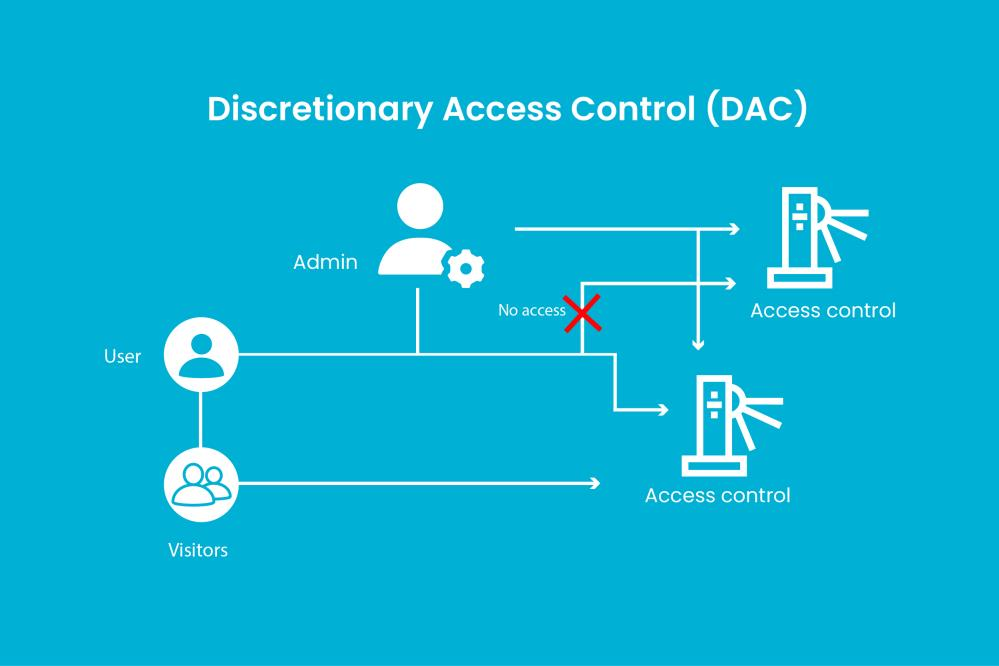
Discretionary Access Control (DAC) is an access control method where the data owner determines who can access specific resources. In this model, users are granted permissions based on rules set by the resource owner, not the system administrator.
Key Characteristics of DAC:
- Owner-controlled access: The person who creates a file or resource has full control over its access permissions.
- Flexible permission settings: Users can grant or revoke access to others.
- Common in operating systems: DAC is widely used in systems like Windows and UNIX/Linux.
How Does DAC Work?
In DAC systems, every resource (file, folder, database entry, etc.) has an Access Control List (ACL) that specifies:
- Who can access the resource
- What type of access do they have (read, write, execute, delete)
For example, a user who creates a file can allow certain colleagues to edit it while restricting others to view-only access.
Advantages of Discretionary Access Control
- User Empowerment – DAC gives resource owners the power to manage their own data, allowing for more granular control.
- Ease of Implementation – It’s relatively simple to set up and manage, especially in small to medium-sized organizations
- Flexibility – Users can easily share resources with others, making collaboration smoother.
Disadvantages of Discretionary Access Control
- Security Risks – Because users control access, there’s a higher chance of inadvertent data leaks or privilege misuse.
- Lack of Central Oversight – Administrators may struggle to maintain consistent security policies across the organization.
- Scalability Issues – As organizations grow, managing DAC permissions manually can become complex and error-prone.
DAC vs. Other Access Control Models
| Feature | DAC | MAC | RBAC |
|---|---|---|---|
| Control | Resource Owner | System/Policy | Roles/Groups |
| Flexibility | High | Low | Medium |
| Security | Moderate | High | High |
| Use Case | Personal & collaborative environments | Government, military | Enterprise systems |
Mandatory Access Control (MAC)
In MAC, access rights are based on security labels and enforced by the system. Users cannot change permissions. Ideal for high-security environments.
Role-Based Access Control (RBAC)
RBAC assigns permissions based on a user’s role within the organization, streamlining access management at scale.
When to Use Discretionary Access Control
DAC is ideal for:
- Small teams where users need autonomy over files
- Systems with low to moderate security requirements
- Collaborative environments like file-sharing platforms
Best Practices for Implementing DAC
- Educate users on the importance of proper permission management.
- Regularly audit access rights to avoid privilege creep.
- Use file naming and grouping conventions to simplify permission management.
- Complement DAC with additional security measures like encryption and user behavior monitoring.
Final Thoughts
Discretionary Access Control (DAC) provides a flexible, user-driven approach to managing resource permissions. While it may not be suitable for high-security environments, it offers significant benefits for collaboration and ease of use. Understanding DAC—and when to use it—can help your organization strike the right balance between accessibility and security.