What Is a Physical Server?
A physical server remains one of the most reliable and powerful solutions for businesses that require full control, high performance, and strong security. While cloud computing continues to grow, physical servers still play a critical role in modern IT infrastructure. In this guide, you’ll learn what a physical server is, how it works, its advantages and disadvantages, and when it’s the right choice for your business.
What Is a Physical Server?
A physical server (also known as a bare metal server or dedicated server) is a standalone hardware machine that runs an operating system and applications directly on its own resources – without virtualization layers or shared infrastructure.
Unlike cloud or virtual servers, physical servers are not shared with other users. All CPU, RAM, storage, and network capacity are dedicated to a single organization.
How Does It Work?
A physical server consists of key hardware components:
- CPU (Processor): Handles computation and processing tasks
- RAM (Memory): Stores active data for fast access
- Storage (HDD/SSD/NVMe): Stores operating systems, applications, and files
- Network Interface Card (NIC): Enables connectivity
- Motherboard & Power Supply: Supports overall functionality
The server runs an operating system such as Linux or Windows Server directly on the hardware. Applications, databases, and services are installed and executed without abstraction layers.
Types of Physical Servers
1. Tower Servers
- Designed like traditional desktop PCs
- Ideal for small businesses
- Easy to maintain and cost-effective
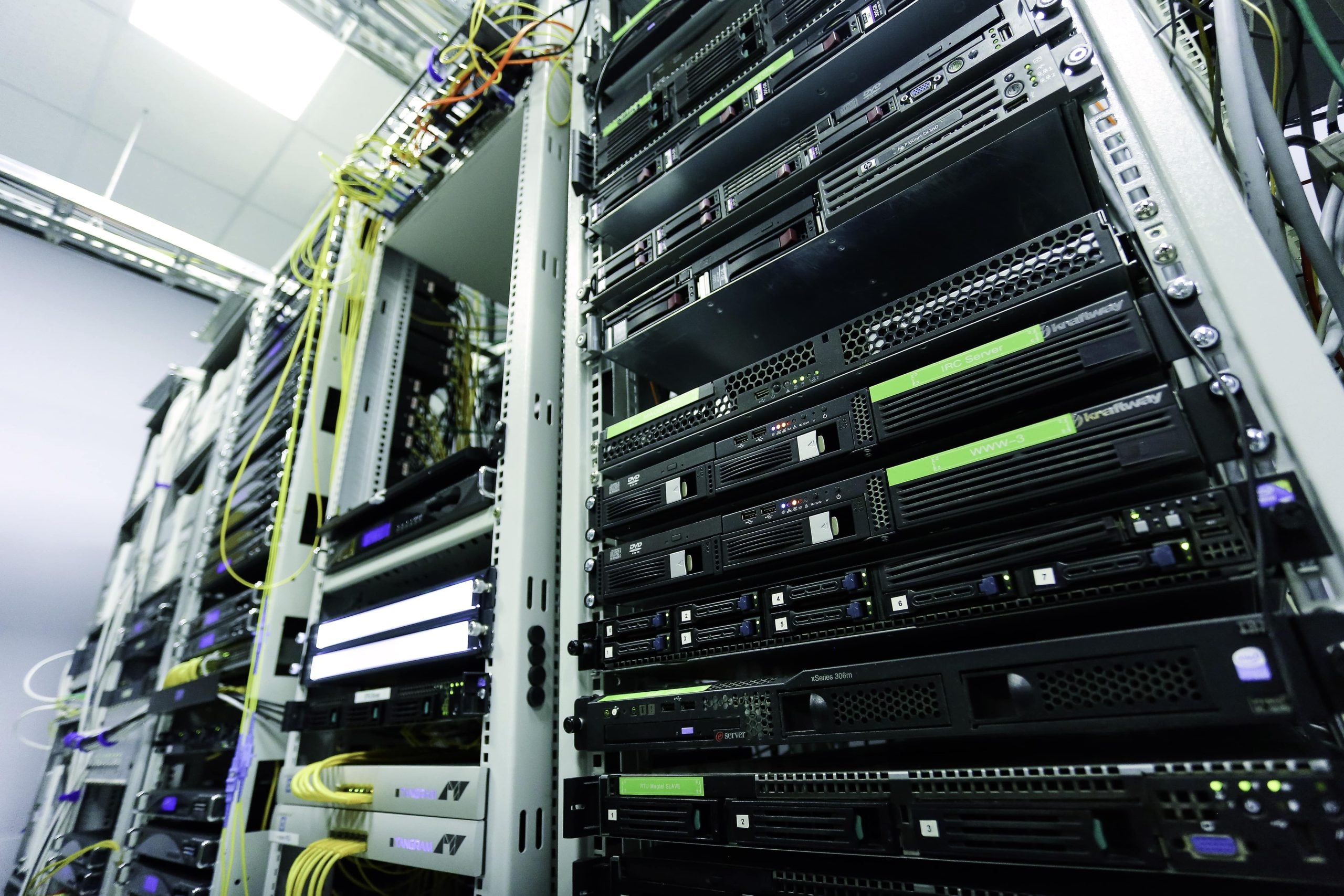
2. Rack Servers
- Mounted in racks inside data centers
- Space-efficient and scalable
- Common in enterprise environments
3. Blade Servers
- Compact servers housed in a chassis
- Share power and cooling resources
- Suitable for high-density computing
Benefits of Physical Servers
1. Dedicated Performance
Since resources are not shared, physical servers provide consistent and high performance, making them ideal for demanding workloads like databases, AI processing, and large-scale applications.
2. Full Control
You have complete control over:
- Hardware configuration
- Operating system
- Security policies
- Network settings
3. Enhanced Security
Physical isolation reduces the risk of:
- Multi-tenant vulnerabilities
- Data leakage between users
This makes physical servers suitable for industries with strict compliance requirements (e.g., finance, healthcare).
4. Customization Flexibility
Businesses can tailor hardware to their needs:
- High RAM for in-memory databases
- NVMe storage for high-speed access
- GPU for AI/ML workloads
Drawbacks of Physical Servers
1. Higher Initial Cost
Physical servers require upfront investment in:
- Hardware
- Data center space
- Cooling and power
2. Limited Scalability
Scaling requires purchasing and installing new hardware, which takes time compared to cloud solutions.
3. Maintenance Responsibility
You must manage:
- Hardware failures
- Software updates
- Security patches
Physical Server vs Virtual Server
| Feature | Physical Server | Virtual Server |
|---|---|---|
| Resource Allocation | Dedicated | Shared |
| Performance | High & consistent | Variable |
| Scalability | Limited | Highly scalable |
| Cost | High upfront | Pay-as-you-go |
| Control | Full | Limited (depends on provider) |
Physical Server vs Cloud Server
| Feature | Physical Server | Cloud Server |
|---|---|---|
| Deployment | On-premises / Colocation | Remote (provider-managed) |
| Flexibility | Lower | Very high |
| Cost Model | CapEx | OpEx |
| Latency | Low (local access) | Depends on the network |
| Security | High (isolated) | Shared responsibility |
Some Use Cases
Physical servers are ideal for:
- High-performance databases (e.g., MySQL, PostgreSQL)
- Enterprise applications requiring stable performance
- Big data processing and analytics
- AI and machine learning workloads
- Game servers with low latency requirements
- Compliance-sensitive systems (HIPAA, PCI-DSS)
When Should You Choose a Physical Server?
Choose a physical server if you need:
- Guaranteed performance without resource contention
- Full control over infrastructure
- Strict security and compliance
- Long-term cost efficiency for stable workloads
However, if you prioritize flexibility and rapid scaling, a cloud solution may be more suitable.
Best Practices for Managing Physical Servers
- Implement redundancy: Use RAID, backup power, and failover systems
- Monitor performance: Track CPU, memory, and disk usage
- Regular backups: Prevent data loss
- Security hardening: Use firewalls, access control, and encryption
- Update software frequently: Patch vulnerabilities
Conclusion
A physical server remains a powerful and reliable solution for businesses that demand performance, control, and security. While cloud computing offers flexibility, physical servers excel in scenarios where consistency and isolation are critical. By understanding your workload requirements and long-term goals, you can determine whether a physical server is the right investment for your infrastructure.