Scareware: How It Works, Risks, and Protection Strategies
Scareware is a type of malicious software designed to frighten users into taking unnecessary or harmful actions. It often appears as fake security alerts, warning messages, or pop-ups claiming that a computer is infected with viruses or experiencing critical system problems. The goal is usually to trick victims into downloading malware, purchasing fake antivirus software, or revealing sensitive information. As cyber threats continue to evolve, understanding scareware has become essential for individuals and businesses alike. This guide explains what scareware is, how it works, common attack methods, and the best ways to protect your systems from this deceptive cyber threat.
What Is Scareware?
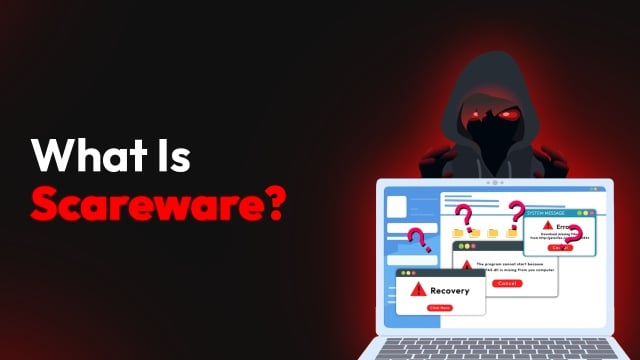
Scareware is a form of social engineering malware that manipulates users through fear and urgency. Attackers create fake warnings that imitate legitimate antivirus programs or operating system notifications. These alerts may claim:
- Your device is infected with multiple viruses
- Sensitive data has been compromised
- System files are damaged
- Immediate action is required
The purpose of these messages is to pressure users into clicking on malicious links, downloading harmful applications, or paying for fake security products.
Unlike traditional malware that silently infects systems, scareware relies heavily on psychological manipulation.
How Does It Work?
Scareware attacks usually follow a predictable sequence:
User Visits a Malicious or Compromised Website
Attackers use malicious ads, fake downloads, or infected websites to display alarming messages.
Fake Security Alert Appears
The screen may show flashing warnings, countdown timers, or fake virus scans.
Victim Is Pressured to Act Quickly
Messages often include phrases like:
- “Your PC is infected!”
- “Immediate action required!”
- “Click here to remove threats.”
Malware Installation or Payment Request
Victims may unknowingly install malware, subscribe to fraudulent software, or provide payment information.
Further System Compromise
Some scareware installs spyware, ransomware, or remote access trojans.
Some Common Types
- Fake Antivirus Software – This is the most common form of scareware. Users are tricked into installing software that pretends to scan and clean threats but actually delivers malware or demands payment.
- Browser Pop-Up Scams – Malicious pop-ups imitate legitimate browser or operating system warnings. These often appear when visiting compromised websites.
- Tech Support Scams – Users receive fake alerts instructing them to call a support number. Attackers impersonate technical support agents to gain remote access or payment information.
- Rogue System Cleaners – These fake optimization tools claim to fix performance issues, but instead install malicious software or collect personal data.
Signs of a Scareware Attack
Recognizing scareware early can prevent major security incidents. Common warning signs include:
- Sudden pop-ups claiming infections
- Loud alarm sounds or flashing screens
- Fake system scans are running automatically
- Urgent requests for payment
- Browser tabs that cannot easily be closed
- Messages with poor grammar or suspicious branding
- Unexpected redirects to payment pages
Legitimate cybersecurity software rarely uses aggressive scare tactics or forces immediate payment.
Risks Associated with Scareware
Scareware can lead to significant cybersecurity and financial risks.
Financial Fraud
Victims may pay for fake antivirus products or fraudulent technical support services.
Malware Infections
Scareware often serves as a gateway for more dangerous malware, including ransomware and spyware.
Data Theft
Attackers may steal:
- Passwords
- Banking information
- Personal documents
- Corporate credentials
System Performance Issues
Malicious programs installed through scareware can slow down systems and create instability.
Business Disruption
Organizations affected by scareware may experience downtime, reputational damage, and compliance violations.
How Scareware Spreads
Scareware distribution methods include:
- Malicious Advertising – Cybercriminals use infected advertisements on legitimate websites to deliver fake alerts.
- Phishing Emails – Emails containing alarming messages encourage users to click on infected links or attachments.
- Compromised Websites – Hackers inject malicious scripts into websites that trigger scareware pop-ups.
- Fake Software Downloads – Attackers disguise scareware as free utilities, updates, or media players.
- Social Media Scams – Fraudulent posts and advertisements can redirect users to scareware sites.
Difference Between Scareware and Ransomware
Although both rely on fear, scareware and ransomware are different threats.
| Feature | Scareware | Ransomware |
|---|---|---|
| Main Goal | Trick users into action | Encrypt files for ransom |
| Data Encryption | Usually no | Yes |
| Payment Request | Fake antivirus or support fees | Cryptocurrency ransom |
| User Interaction | Requires victim response | Often automated |
| Severity | Moderate to high | Extremely high |
Scareware can sometimes act as an entry point for ransomware attacks.
How to Remove It
If you suspect scareware on your device, follow these steps:
1. Disconnect From the Internet
This prevents additional malware downloads or data transmission.
2. Avoid Clicking Pop-Ups
Do not interact with suspicious alerts, even to close them.
3. Use Legitimate Antivirus Software
Run a full system scan using trusted cybersecurity software.
4. Boot Into Safe Mode
Safe Mode can prevent malicious programs from running during cleanup.
5. Remove Suspicious Applications
Uninstall recently added or unknown software from your device.
6. Clear Browser Data
Delete browser cache, cookies, and extensions associated with suspicious activity.
7. Update Passwords
Change passwords for important accounts after cleaning the system.
Best Practices to Prevent Scareware
Strong cybersecurity habits significantly reduce scareware risks.
Keep Software Updated
Install security patches for:
- Operating systems
- Browsers
- Plugins
- Security software
Use Reliable Antivirus Protection
Choose trusted cybersecurity solutions with real-time protection features.
Enable Pop-Up Blocking
Modern browsers can block many malicious pop-ups automatically.
Avoid Suspicious Websites
Be cautious when visiting unknown or poorly secured websites.
Educate Users
Security awareness training helps users recognize fake alerts and phishing attempts.
Verify Security Warnings
Always confirm alerts through official antivirus dashboards rather than browser pop-ups.
Use Multi-Layered Security
Combine:
- Firewalls
- Endpoint protection
- Web filtering
- Email security
- DNS protection
Scareware in Enterprise Environments
Businesses are attractive targets for scareware campaigns because attackers can exploit employee panic to gain access to corporate systems.
Enterprise risks include:
- Credential theft
- Unauthorized remote access
- Malware propagation
- Financial fraud
- Compliance violations
Organizations should implement:
- Security awareness training
- Endpoint detection and response (EDR)
- Zero Trust security models
- Centralized patch management
- Web content filtering
Examples of Famous Scareware Campaigns
Several well-known scareware attacks have targeted users globally:
- Fake “Windows Security Alert” pop-ups
- Rogue antivirus families like “Antivirus 2009”
- Browser locker scams impersonating law enforcement
- Fake Mac cleanup applications targeting Apple users
These campaigns generated millions of dollars through fraudulent software sales and support scams.
The Future of Scareware
Modern scareware is becoming increasingly sophisticated. Attackers now use:
- AI-generated phishing content
- Realistic user interfaces
- Browser notification abuse
- Mobile scareware apps
- Deepfake voice support scams
As cybersecurity awareness improves, attackers continue adapting their social engineering techniques.
Final Thoughts
Scareware remains one of the most effective forms of cyber deception because it exploits human psychology rather than technical vulnerabilities alone. By creating fear and urgency, attackers manipulate users into compromising their own systems. Understanding how scareware operates is critical for maintaining cybersecurity. Individuals and organizations can reduce risks by using trusted security tools, practicing safe browsing habits, and educating users about social engineering tactics. A proactive cybersecurity strategy is the best defense against scareware and other evolving online threats.